Dashboard
Server web dashboard. Enabled when port > 0; user and password are required once enabled.
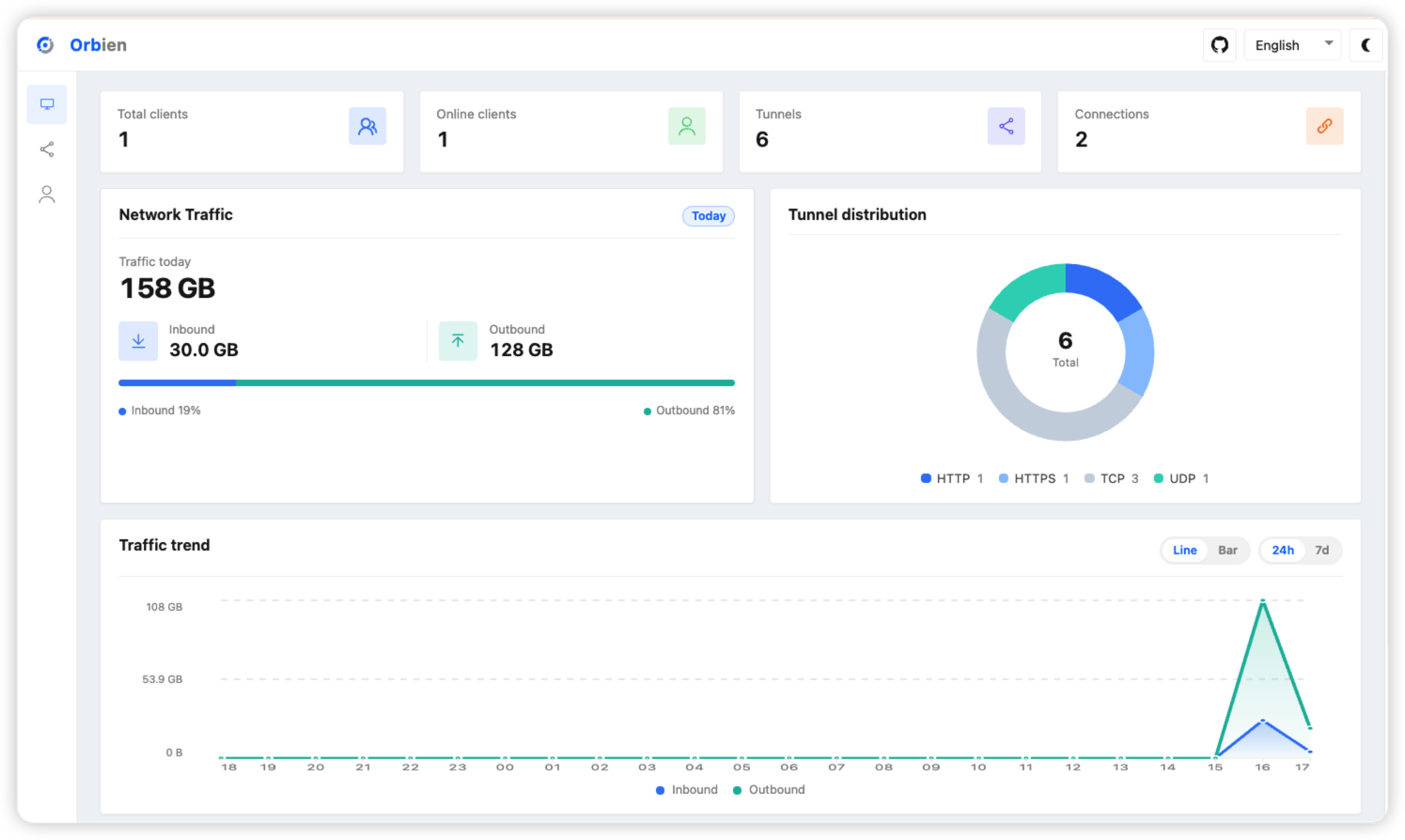
Example
# orbien-server.toml
listen = "0.0.0.0:9527"

[dashboard]
addr = "0.0.0.0"
port = 8020
user = "admin"
password = "123456"

# Optional
# [dashboard.tls]
# certFile = "./certs/dashboard.crt"
# keyFile = "./certs/dashboard.key"
Open http://SERVER_IP:8020 in a browser (use https:// when [dashboard.tls] is enabled).
tip
addr defaults to 127.0.0.1 (localhost only). Set it to 0.0.0.0 for remote access.
Parameters
| Parameter | Required | Default | Description |
|---|---|---|---|
dashboard.addr | No | 127.0.0.1 | Listen address; use 0.0.0.0 for remote access |
dashboard.port | Yes | 0 | Listen port; 0 disables the dashboard |
dashboard.user | Yes | Username | |
dashboard.password | Yes | Password | |
dashboard.tls.certFile | No | Path to the PEM certificate | |
dashboard.tls.keyFile | No | Path to the PEM private key |
Note
- Both
certFileandkeyFilemust be set to enable HTTPS